-01.png?width=926&height=181&name=Netgate%20Logo%20PMS%20(horizontal)-01.png "Netgate Main Logo")
%201.png?width=302&name=Netgate%20Logo%20PMS%20(horizontal)%201.png "NetgateColorLogoRegisteredRGB.png")
Background
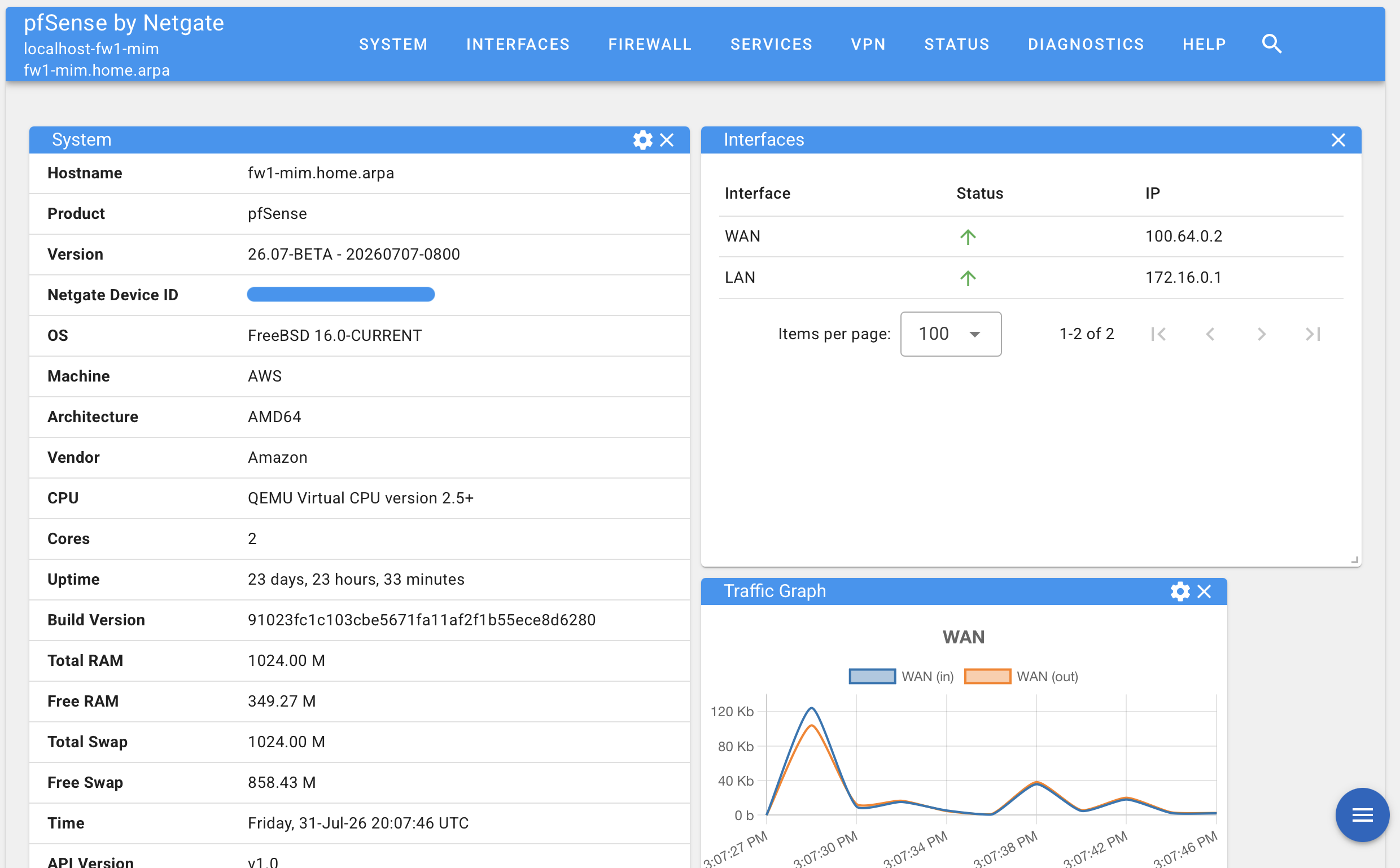
Since its inception, the pfSense® PHP-based GUI has been the trusted, familiar interface for configuring everything from simple home networks to complex enterprise deployments—serving the community reliably for years. Building on that strong foundation, we have completely reimagined and rebuilt the pfSense Plus GUI from the ground up in Go. The result is a dramatically faster, more responsive interface with a modern professional design and powerful new capabilities that expand what’s possible with the world’s most popular firewall.
Benefits
The performance gains are immediately noticeable. Loading firewall rules, viewing logs, managing packages, and moving between configuration pages all happen dramatically faster.
This is more than incremental improvement. For administrators managing firewalls with thousands of rules, hundreds of VPN tunnels, or extensive content filtering policies, the time savings compound with every action throughout the day. Everyday tasks feel responsive and fluid, allowing workflows to move at the speed of the work itself.
The new architecture also scales exceptionally well. Even the largest and most complex configurations run smoothly, giving organizations the confidence to grow their deployments without constraint.
New Capabilities and Features
One of the most significant additions to the new GUI is Threatgate, the next-generation content filtering and threat protection package built directly into pfSense Plus.
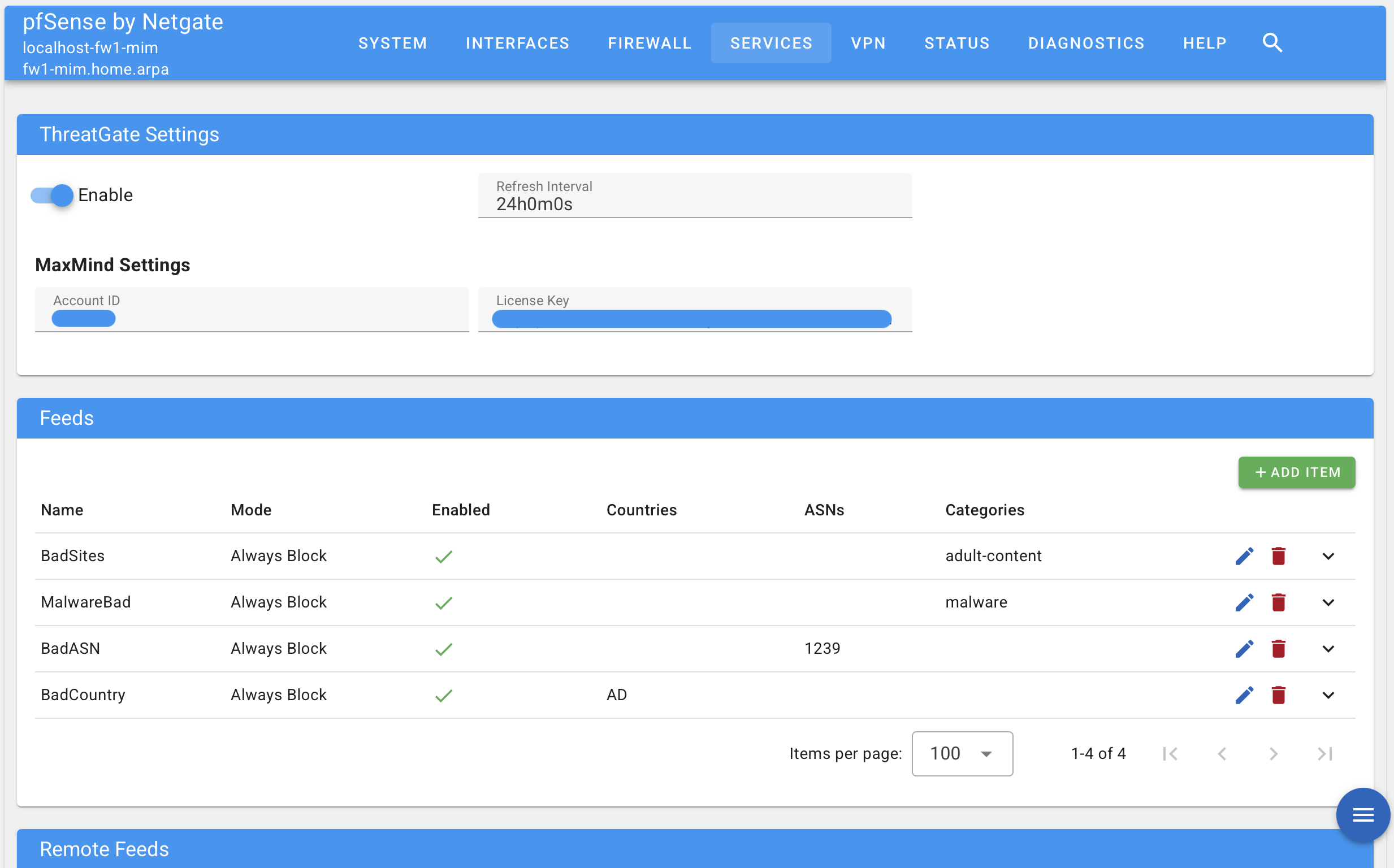
Threatgate is the evolution of pfBlockerNG, redesigned for modern threat landscapes and optimized for performance. It provides all the capabilities administrators have previously relied on, including country blocking, domain filtering, IP reputation enforcement, and category-based content policies, but with substantial improvements in efficiency and performance. List processing that once took minutes now completes in seconds. Large blocklists that consumed significant resources during updates now load with minimal impact.
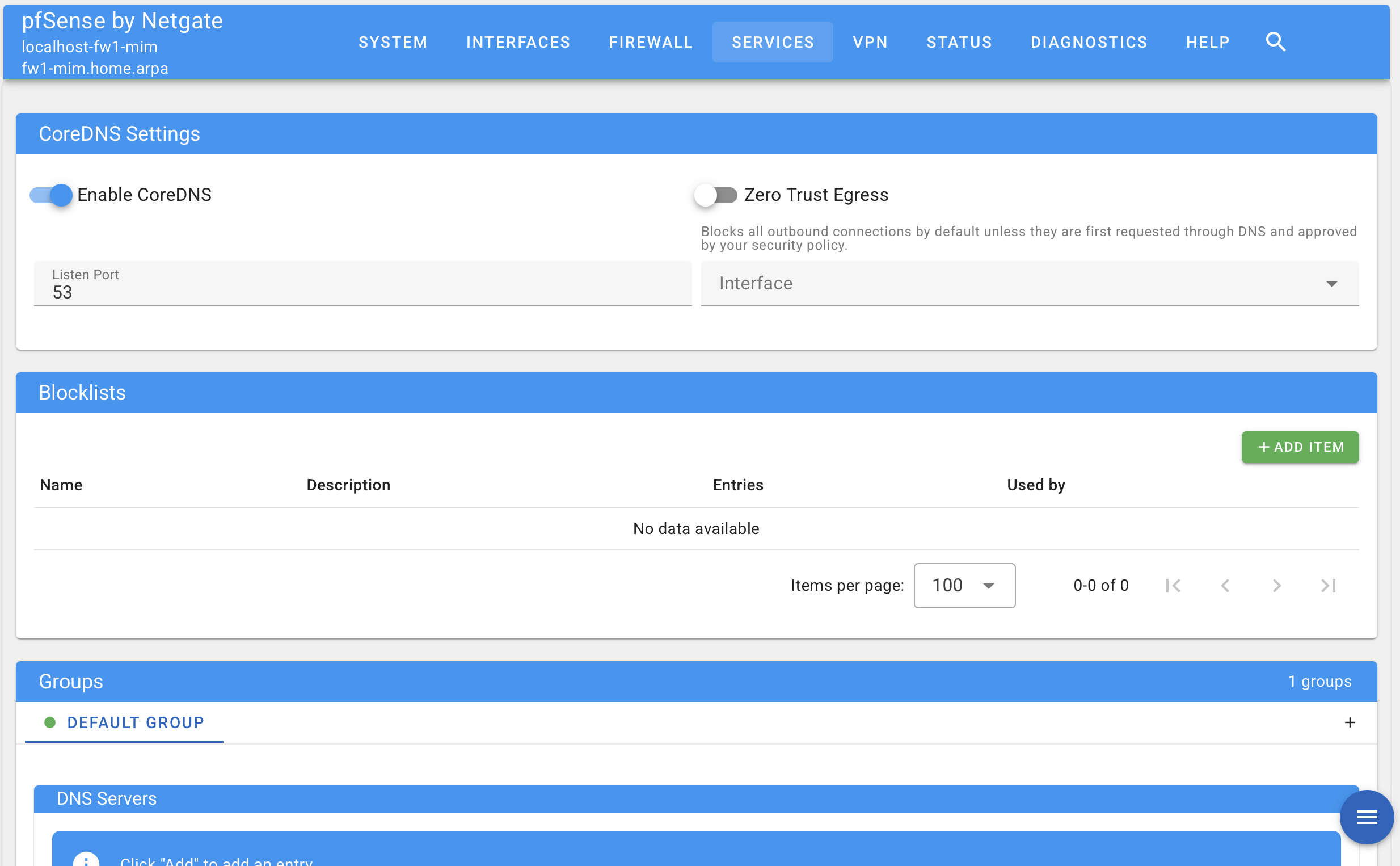
Threatgate also introduces Zero Trust Egress mode, an enforcement capability that fundamentally changes how content filtering works. Instead of allowing all connections except those explicitly blocked, Zero Trust Egress mode denies all connections except those verified through DNS and allowed by policy. This approach disrupts attack chains before they establish, preventing command-and-control callbacks, data exfiltration attempts, and direct IP-based attacks, even from compromised devices.
This means DNS can serve as the functional checkpoint for all outbound connections. If a destination hasn't been requested via DNS and approved by policy, the connection fails by default. For high-value assets, incident response scenarios, or environments requiring strict egress control, Zero Trust Egress mode provides protection that traditional blocklists cannot match.
Threatgate will not be the only new feature accessible in the new GUI. Other features and improvements will be added regularly as we expand capabilities and respond to community feedback.
Accessing the New GUI
The new GUI is now available to pfSense Plus users. Activation is straightforward and requires just a few steps:
Navigate to System > Advanced > Netgate Nexus in your current pfSense Plus interface and activate the Nexus controller. Once enabled, access the new GUI by connecting to the default port 8443 of your pfSense Plus instance. From there, click the Device Management button for your firewall to begin using the new interface. More detailed documentation can be found here.
Our goal is for everyone to be using the new GUI by the end of the year. Both interfaces will remain available throughout the transition, so you can explore the new experience at your own pace while keeping full access to the legacy interface whenever you need it.
Note: Virtual machines as well as some third-party platforms may not support the new GUI due to missing machine information required to correctly run the software.
What This All Means
Netgate® has always delivered enterprise-class capabilities without the complexity or cost. The new GUI takes this further, making powerful features more accessible, complex configurations more manageable, and everyday tasks more efficient. Organizations already running pfSense Plus gain immediate benefits: faster performance, improved usability, and next-generation capabilities like Threatgate. For those evaluating the platform, the new GUI reflects our ongoing commitment to innovation and long-term investment.
Conclusion
This is a defining moment for Netgate and the pfSense Plus community. The new GUI delivers more than a technical upgrade, it reflects our clear focus on giving network administrators at every scale the best possible experience.
Whether you manage a single firewall at a remote site or orchestrate hundreds of instances across a global infrastructure, the next-generation pfSense Plus GUI provides the performance, capabilities, and usability to match your needs.
Activate the new GUI today and experience the future of pfSense Plus.
